
How To Pay
Checkout Page
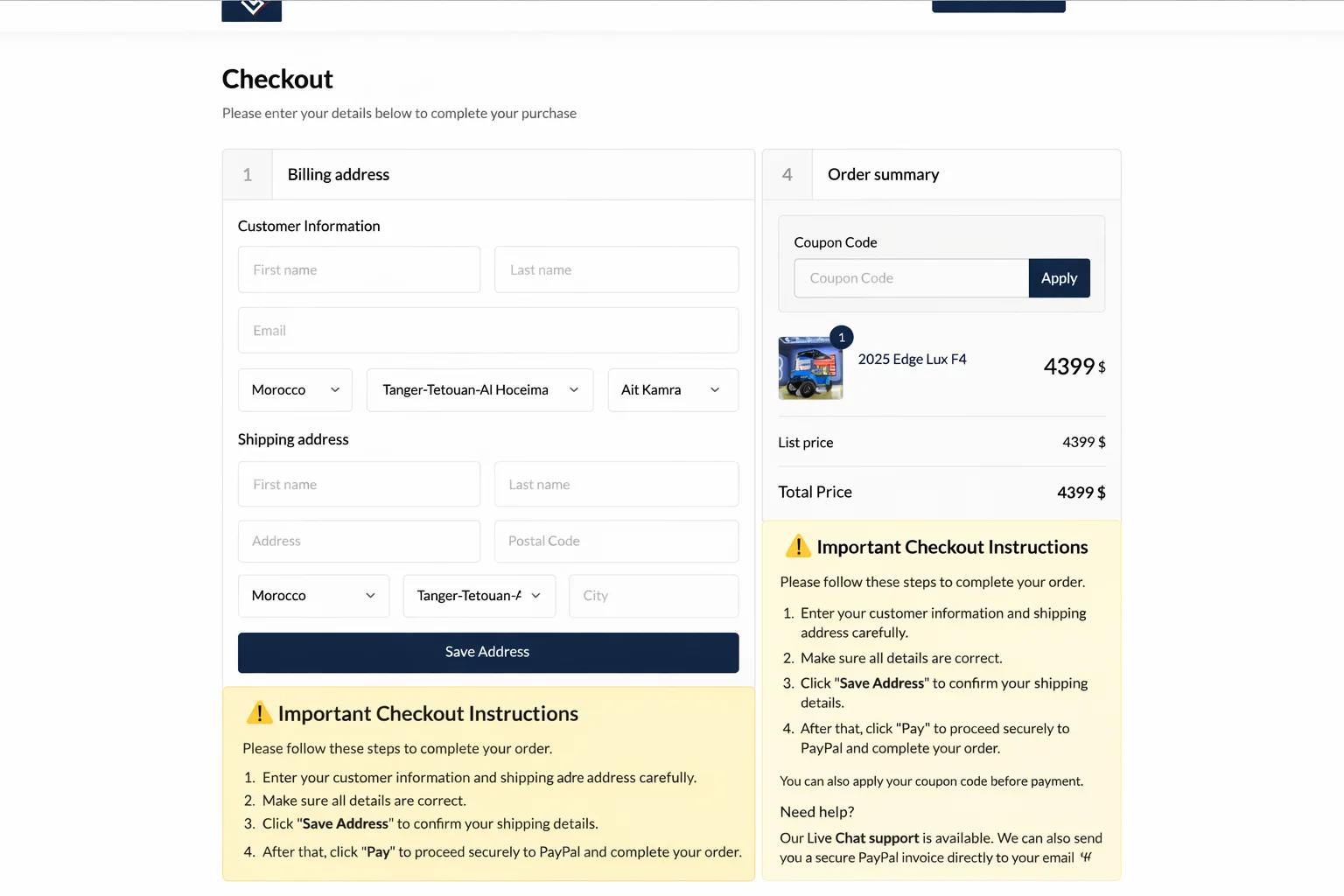
⚠ Important Checkout Instructions
Please follow these steps to complete your order:
1. Enter your customer information and shipping address carefully.
2. Make sure all details are correct.
3. Click "Save Address" to confirm your shipping details.
4. After that, click "Pay" to proceed securely to PayPal and complete your order.
You can also apply your coupon code before payment.
Need help?
Our Live Chat support is available. We can also send you a secure PayPal invoice directly to your email if you prefer.
Secure Payment & Checkout
At carts-golf LLC, we use PayPal as our trusted payment processor. Customers can complete purchases safely using their credit card, debit card, or bank account via PayPal.
Why PayPal?
PayPal ensures your payment details are encrypted and secure during the entire transaction process. All credit card and banking information is processed exclusively by PayPal. We do not store or access your payment details at any time.
Orders are confirmed only after successful payment processing. Please note, no discounts or late payment penalties apply in our store.
🔒 SSL Secure Checkout
Our website carts-golf.com is PCI compliant and protected by advanced SSL (Secure Sockets Layer) encryption, ensuring your data stays private and secure.
SSL technology protects sensitive information, such as passwords and payment details, by encrypting them into unreadable data during transmission. You can verify our SSL protection by clicking the padlock icon in your browser's address bar.
We utilize industry-standard 256-bit SSL encryption, the same level of security trusted by banks worldwide.
💳 Pay with Credit Card via PayPal (No Account Required)
At carts-golf LLC, you can safely complete your purchase using your credit or debit card via PayPal — even if you don't have a PayPal account. Follow these simple steps:
Step 1: Choose PayPal at Checkout
Select Pay with PayPal as your payment option when checking out on our website.
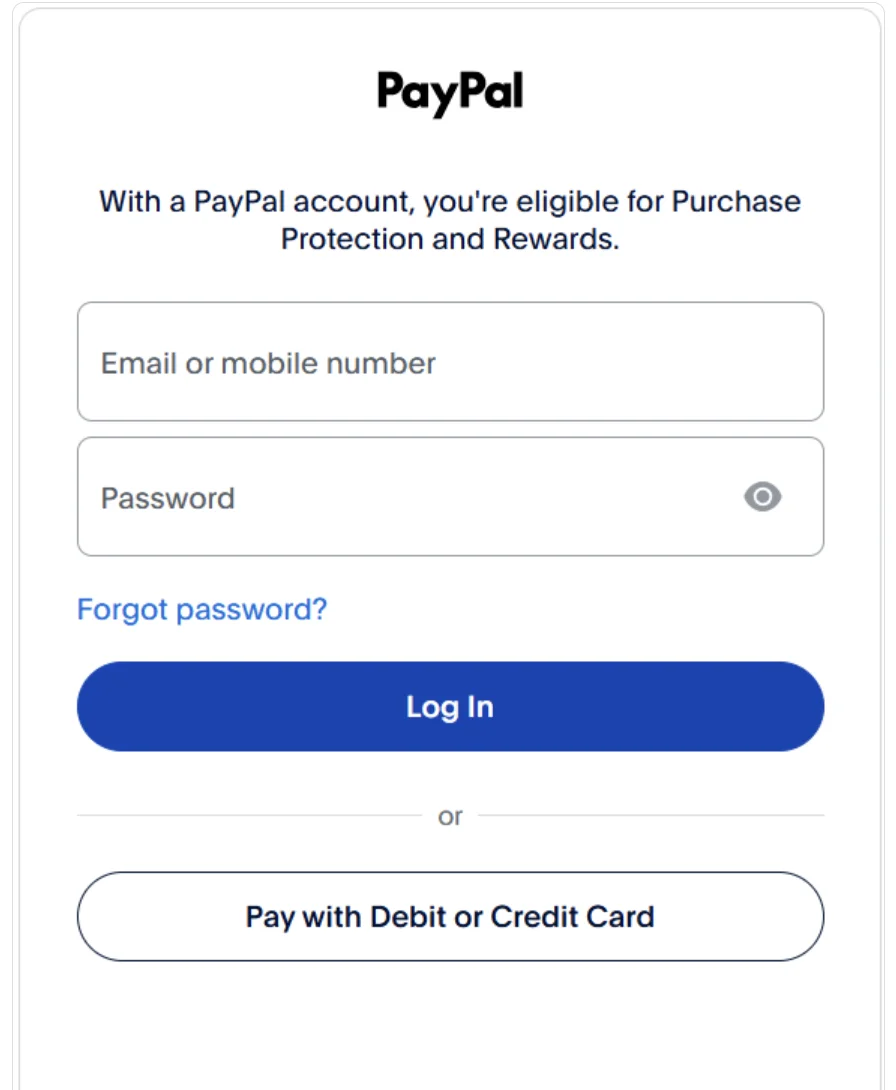
Step 2: Pay with Credit or Debit Card as Guest
After being redirected to PayPal, select the option "Pay with Debit or Credit Card". You do not need to create a PayPal account.
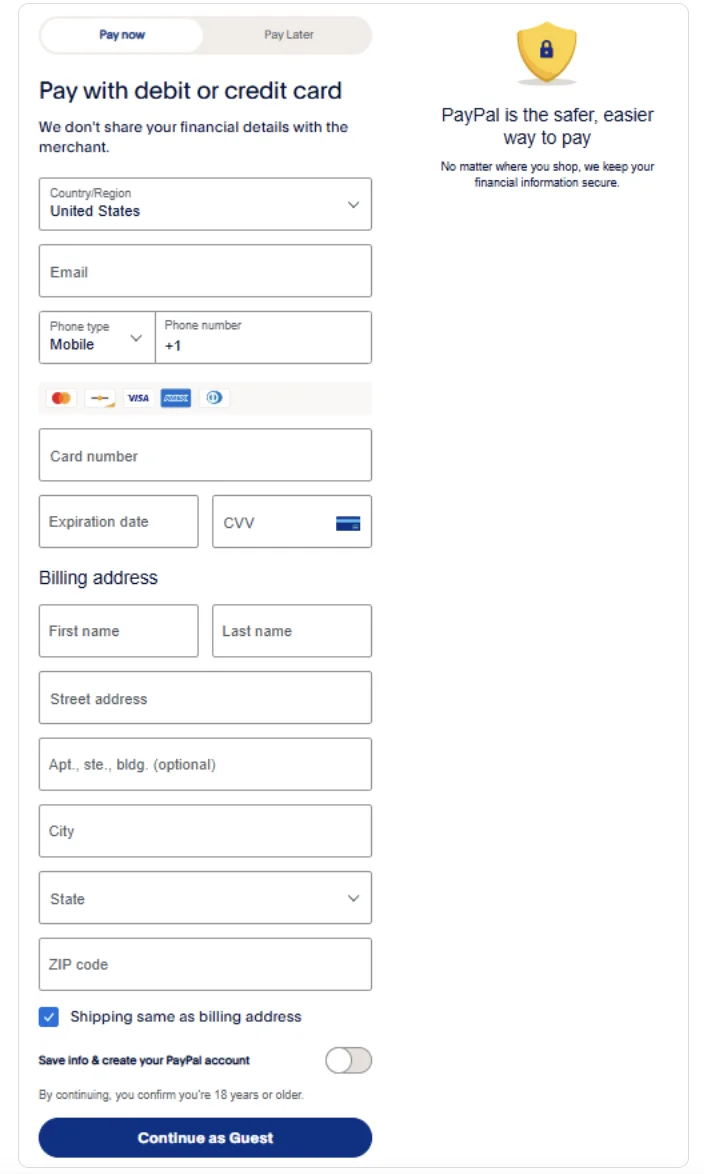
Why PayPal?
PayPal offers secure payment processing, encrypting your card details to keep your information private. carts-golf LLC never sees or stores your card information.
SSL Secure Checkout
Our website is protected with advanced 256-bit SSL encryption, ensuring your data remains safe throughout the checkout process. Look for the padlock icon in your browser's address bar to confirm your connection is secure.
 Facebook
 Instagram
 Twitter
 TikTok